User's Manual
Manuals
Brands
Pro-Nets Technology Manuals
Computers & Accessories
Wireless Broadband Router
11
12
13
14
15
16
17
18
19
20
11
Checking TCI/IP Setting f
or Window
s NT4.0
a)
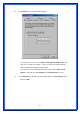
Select
“
Control Panel
Æ
Netw
ork
”, click
“
Protocols
” tab then selec
t “
TCP/IP
protocol
”, window sho
wn as belo
w will
appear:
1
...
...
11
12
13
14
15
...
...
62