
User's Manual

4
8
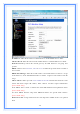
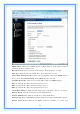
Please select
Set DNS Manually
if the
PPTP
support is selected.
Set DNS Manually: Click to select getting DNS address for
PPTP
support.
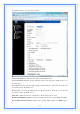
DNS 1: Fill in the IP address of Domain Name Server 1.
DNS 2: Fill in the IP address of Domain Name Server 2.
DNS 3: Fill in the IP address of Domain Name Server 3.
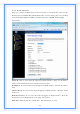
Clone MAC Address: Fill in the MAC address that is the MAC address to be cloned.
Enable uPNP: Click the checkbox to enable uPNP function.
Enable IGMP Proxy: Click the checkbox to enable IGMP Proxy.
Enable Ping Access on WAN: Click the checkbox to enable WAN ICMP response.
Enable Web Server Access on WAN: Click the checkbox to enable web
configuration from WAN side.
Enable IPsec pass through on VPN connection: Click the checkbox to enable
IPSec packet pass through.
Enable PPTP pass through on VPN connection: Click the checkbox to enable
PPTP packet pass through.
Enable L2TP pass through on VPN connection: Click the checkbox to enable
L2TP packet pass through.
Apply Changes: Click the
Apply Changes
button to complete the new
configuration setting.
Reset: Click the
Reset
button to abort change and recover the previous configuration
setting.
Note: PPTP Gateway Your ISP will provide you with the Gateway IP Address. If your
LAN has a PPTP gateway, then enter that PPTP gateway IP address here. If you do not
have PPTP gateway then enter the ISP’s Gateway IP address above.
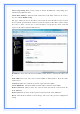
[L2TP]
L2TP: Allow user to make a tunnel with remote site directly to secure the data
transmission among the connection. User can use embedded L2TP client supported by
this router to make a VPN connection.
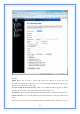
Get the WAN IP Automatically: Click to select L2TP Dynamic support on WAN
interface for IP address assigned automatically from a PPTP server.
IP Address: If you select the L2TP support on WAN interface, fill in the IP address for it.
Subnet Mask: If you select the L2TP support on WAN interface, fill in the subnet mask
for it.
Gateway: If you select the Static L2TP support on WAN interface, fill in the gateway
for WAN interface out going data packets.
Server IP Address: Enter the IP address of the L2TP Server.
Server Domain Name: Assign Domain Name and dispatch to L2TP servers. It is