
User's Manual

4
0
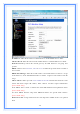
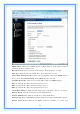
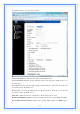
802.1d Spanning Tree: Select enable or disable the IEEE 802.1d Spanning Tree
function from pull-down menu.
Clone MAC Address: Fill in the MAC address that is the MAC address to be cloned.
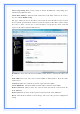
3.5.1.1 Static DHCP Setup
This page allows you reserve IP address and assign the same IP address to the network
device with the specified MAC address any time it requests an IP address. This is almost
the same as when a device has a static IP address except that the device must still
request an IP address from the DHCP server.
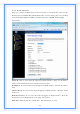
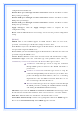
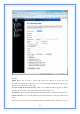
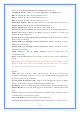
IP Address: If you select the Set Static DHCP on LAN interface, fill in the IP address for
it.
MAC Address: If you select the Set Static DHCP on LAN interface, fill in the MAC
address for it.
Comment: Fill in the comment tag for the registered Static DHCP.
Static DHCP List: It shows IP Address MAC Address from the Static DHCP.
Delete Selected: Click to delete the selected clients that will be removed from the
Static DHCP list.
Delete All: Click to delete all the registered clients from the Static DHCP list.
Reset: Click the Reset button to abort change and recover the previous configuration
setting.