
User`s manual


18
The browser will open to the iFit.com registration
page. Touch an entry box to view the keyboard.
Slide your finger up or down the screen to scroll up
o
r down the page.
E
nter a username and password and your e-mail
address. Next, enter the activation code from the
iFit Live flier that came with the treadmill. Touch
the Place of Purchase drop-down menu for a list of
options; then, touch the location where you pur-
chased your product. Touch the words MEDICAL
DISCLAIMER, read the medical disclaimer, touch
the I Accept button, and check the medical dis-
claimer checkbox. Then, touch the Confirm
Activation Code button.
Enter the requested personal information. When
you have entered all of the information, touch the
Finish button. When the registration process is
complete, press the home button on the console to
exit the browser.
3. Begin working out.
Touch the iFit Live Login button. The screen will
ask for your iFit.com user name and password.
Enter them and touch the Submit button. Touch the
Cancel button to exit the login screen.
The console will display the iFit Live welcome
screen. Before some workouts will download, you
must add the workouts to your schedule on
iFit.com. For more information about iFit Live work-
outs, see pages 22 and 23 or go to www.iFit.com.
HOW TO USE THE MANUAL MODE
1. Insert the key into the console.
See HOW TO TURN ON THE POWER on page
17. Note: It may take a minute for the console
to be ready for use.
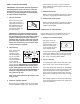
2. Select the start-up menu.
Each time the key is in-
serted, the start-up
menu will appear. If you
have selected a work-
out or the iFit Live
mode, touch the home
button in the lower left corner of the screen. Next,
touch the End Workout button and then touch the
Done button to return to the start-up menu.
3. Start the walking belt and adjust the speed.
To start the walking belt, touch the Start button on
the screen or the Start button on the console. The
walking belt will begin to move at 1 mph. As you
exercise, change the speed of the walking belt as
desired by pressing the Speed increase and de-
crease buttons. Each time you press one of the
buttons, the speed setting will change by 0.1 mph;
if you hold down the button, the speed setting will
change in increments of 0.5 mph.
If you press one of the numbered Quick Touch
Speed buttons, the walking belt will gradually
change speed until it reaches the selected speed
setting. To select a speed setting that includes a
decimal—such as 3.5 mph—press two numbered
buttons in succession. For example, to select a
speed setting of 3.5 mph, press the 3 button and
then immediately press the 5 button.
To stop the walking belt, press the Stop button. To
restart the walking belt, press the Start button.
You can also press the Manual button on the con-
sole. To start the walking belt after you press the
Manual button, press the Speed increase button.
4. Change the incline of the treadmill as desired.
To change the incline of the treadmill, press the
Incline increase and decrease buttons or one of the
numbered Quick Touch Incline/Decline buttons.
Each time you press one of the buttons, the incline
will gradually change until it reaches the selected
incline setting.
Note: The first time you adjust the incline, you must
first calibrate the incline system (see step 3 on
page 27).