
User`s manual


19
5. Monitor your progress.
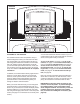
The console offers several display modes. The dis-
p
lay mode that you select will determine which
workout information is shown. To select the de-
s
ired display mode, repeatedly touch the Display
increase or decrease button on the screen.
As you walk or run on the treadmill, the screen can
show the following workout information:
• The incline level of the treadmill
• The elapsed time
• The approximate number of calories you have
burned
• The distance that you have walked or run
• The speed of the walking belt
• A track representing 1/4 mile (400 meters)
• Your pace in minutes per mile
• Your current lap number
• The time remaining
• The approximate number of calories burned per
hour
• The number of vertical feet you have climbed
• Your heart rate (see step 6 on page 20).
The displays at the top of the screen can show two
types of information. Touch each display until the
display shows the desired information. Note: The
m
anual mode does not have a time remaining
countdown.
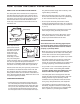
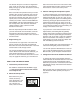
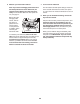
If desired, adjust the vol-
ume level by pressing
the volume increase and
decrease buttons on the
console.
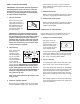
To reset the console, touch the home button in the
lower left corner of the screen. To pause the work-
out, touch the Pause button. To continue the work-
out, touch the Resume button or the Start button.
To end the workout and select a new workout,
touch the New Workout button. To end the workout
session, touch the End Workout button.
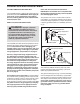
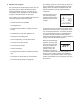
Note: The small wireless
symbol in the lower right
corner of the screen will
show your wireless con-
nection status. If the
symbol is green, the
treadmill is connected to
your wireless network and you have logged in to
iFit.com. If the symbol is orange, the treadmill is
connected to your wireless network. If the symbol
is black, the treadmill is not connected to your wire-
less network.
Volume Decrease
Volume Increase