
User`s guide

PUREGAS, LLC P550W Series Air Dryers User’s Guide
Page 27 of 99 P011658 – Rev. M
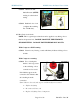
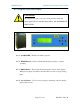
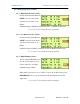
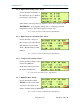
8.5 Using the Front Panel Display
8.5.1 ALARM LED – Indicates an alarm is present.
8.5.2 RESET Button – Clears an alarm and allows the system to continue
operating.
8.5.3 HOLD Button – Freezes the current information screen on the display.
When pressed again, it will allow the information screens to begin cycling
again.
8.5.4 Arrow Buttons – Used to access, navigate, and change values in the Set
Point Adjust screens.
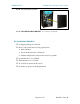
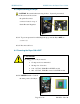
CAUTION!
The Display Screen is covered by a clear protective layer that
guards against Electrostatic Discharge (ESD). DO NOT REMOVE
THIS LAYER.