
MP3 Player User Manual


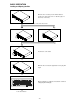




-
12
-
MATCHING THE BEATS PER MINUTE
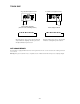
Ma tch the p itc h b y mon i to ring the musi c o f b oth UNIT 1 a nd UNIT 2 by e ar. W he n the te mp o of the mus ic o f the
se le cte d C D p la ye r is s lo w c om p are d to the te mp o o f th e other pla yer, mo ve th e s lid e r to the + s id e a nd ma tc h
the tem po . W he n fa st, m o ve to the - si d e .
The fo llow in g de s crip tio n i s for the c as e of ma tc hi ng the p itch o f UNIT 2 to the pi tc h of the mus ic b ei ng p laye d
on UN IT 1 .
B
u
y
m
e
o
r
f
f
e r
M
UNIT 1 is playing
.
Press PLAY/PAUSE to start UNIT 2.
M
u
B
re
f
f
r
o
e
m
y
Both CD players are playing discs.
Listen to UNIT 2 in your headphones.
When UNIT 2 is slow
compared to UNIT 1
When UNIT 2 is fast compared
to UNIT 1
Beat Matching Using Pitch Bend
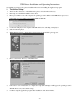
A d es crip tio n of the p ro c e d ure fo r ma tch ing th e b e a t of UNIT 1 a nd UNIT 2 usi ng th e P ITC H B END s ti ck is gi ven
be lo w.
This d es c rip ti on i s for the c ase o f ma tch in g the b e a t o f UNIT 2 to the b ea t o f th e m us ic b e ing p laye d o n UNIT 1 .
(Thi s p ro c e du re c an b e d one o n ei the r U ni t).
After Matching the BPM's
M
u
B
re
f
f
r
o
e
m
y
BPM’s (Beat Per Minute) are the
same, however the bass beats
are not matched.
When UNIT 2 is ahead.
When UNIT 2 is behead.