
MP3 Player User Manual






-
13
-
OPERATION OF CUE (WITH PLAY/PAUSE)
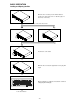
1. In p a us e mod e , pre s s C UE bu tton to me mo rize a p oi nt fo r p layi ng b a ck . W e me a n i t “c ue p o in t”.
2. A fter “c ue po in t” i s m e mo ri zed , in p lay m od e, pre ss ing C UE bu tton will re turn the mus i c b a ck to the cue p o int
and k ee p it i n pa use mo de.
3. P re ss P L A Y bu tton a g ai n to p erfo rm fro m “c ue po in t”.
OPERATION OF A AND B/LOOP
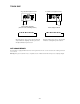
1. S e t “A P OINT ” und e r p la y m od e b y p re s si ng A b utto n (wi tho ut inte rrup tio n d uri ng p la yb a ck ).
2. P re ss B /L OO P to m e mo rize the e nd ing poi n t of lo op , we mea n it “B P OINT ”. A t the me anti m e, it blinks LO OP
on the L C D , an d the mus ic a utom atic ally co me s ba c k to “A P OIN T” a nd lo o p s b etwe e n A & B p o ints.
3. W hile the mu si c loo p s b e twe en A & B , p res s to le a ve the loo p . A t th e me an time , i t lig hts L OOP o n
the LC D .
4. P re ss RE L OOP ag a i n during p layb a ck, it re turn s the loo p functio n.
5. W ithin p lay inte rval, you ca n ch ang e “A P OINT ” & “B P OIN T” b y p res s ing A & B/L OOP bu tton und e r p lay m od e .
6. A lso a vai la ble to cha nge “sta rt p oi nt” by p re ss i ng A b utto n in p a us e mo d e during lo op fun cti o n.