
User Manual




When activated, BCL prevents you from interfering with other parties who may be using the same
channel that you selected. Pressing the PTT switch while the channel is in use will cause your
transceiver to emit an alert tone and transmission will be inhibited(you cannot transmit).
Release the PTT switch to stop the tone and return to receive mode.
Note: Busy Channel Lockout shall be setup in PC software.
10. High/Low Power Output
Switch the power output between high and low in PC software. Default: Channel 8-14 are low
power, remains are high power.
11. Wide/Narrow Band (25KHz/12.5KHz)
You can select wide band and narrow band by manual. Default: Channel 8-14 are narrow bands,
remains are wide band.
12. VOX (Press the [Channel+] to turn the VOX on/off)
VOX operation allows you to transmit hands-free. VOX function shall be setup in PC software.
When operating VOX, you must set a VOX Gain level. This setting allows the transceiver to
recognize sound levels. If the microphone is too sensitive, it will begin transmitting when there is
noise in the background. If it is not sensitive enough, it will not pick up your voice when you
begin speaking. Be sure to adjust the VOX Gain level to an appropriate sensitivity to allow
smooth transmission.
Note: If a speaker/microphone is connected to the transceiver while the VOX function is switch
ON and the VOX Gain level is configured to a higher, more sensitive level, louder received
signals may cause the transceiver to start transmission.
13. DCS Mode
You can setup DCS mode on each channel in PC software. There are two options: Normal and
Special.
When you choose special one, even you have the same DCS with other radio, you cannot hear
others and others also cannot hear you, this function will guarantee privacy of your talk.
Default: Normal.
14. QT/DQT
A QT tone/DQT code is a sub-audible tone/code which allows you to ignore(not hear)calls from
other parties who are using the same channel.
When a channel is set up with a QT tone or DQT code, squelch will only open when a call
containing a matching tone or code is received. Likewise, signals that you transmit will only be
heard by parties whose QT/DQT signaling matches your transceiver.
If a call containing a different tone or code is made on the same channel you are using, squelch
will not open and you will not hear the call. This allows you to ignore(not hear) these calls.
Although it may seem like you have your own private channel while using QT/DQT, other parties
can still hear your calls if they set up their transceiver with the same tone or code.
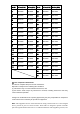
15. The transceiver channel frequencies are shown in the figure below: