
User's Manual



8
The ZRC-100 remote can be set up with different concepts such as
Scene, Association Group, Primary Controller and Secondary
Controller. These concepts are all setup on the LCD of your ZRC-100.
A single Z-Wave network can include 232 nodes. If necessary, more
than one network can be bridged to extend the number of nodes further,
although this is normally not needed in a residential environment.
The total number of controllable End-point (EP) / device / sensor is
128 items which is listed on the “Device” and “Sensor” page. ZRC-100
also supports 6 thermostats which are listed on the “Comfort” page.
You can control up to 12 scenes (Scene On/Off) with your ZRC-100.
Each Scene supports up to 32 Z-Wave devices or End-point (EP)
.
Remark:
z The hard keys are valid if the backlit is turned on and vise versa.
User can follow the intelligent LEDs smart guide and LCD
display for all setup procedures and operation.
z User can press “
” key to go back to the previous page at
any setup /operation screen.
Add/Delete Devices
Adding Device to the Network
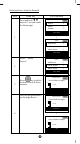
Step Setup Key LCD Indication
1
Press and hold
ef
keys for 3 seconds under
the Home page.
⇓
Home
Device >
Scene >
Comfor
t
>
OK to Enter
Setup
Add Device >
Delete Device >
Add to Scene >
OK to Enter