
User's Manual Part 20
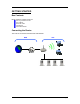
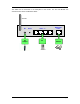
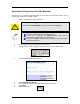
Table Of Contents
- INTRODUCTION
- GETTING STARTED
- WEB CONFIGURATION
- PC CONFIGURATION
- FACTORY RESET

Quick Start Configuration (For DSL Modems)
This section is a quick-start guide applicable to most users. This assumes that the user is
connecting the WAN port to a ADSL modem.
1. Connect the network as shown previously.
Switch on the Modem BEFORE you switch on the Router. Every time.
Check that the WAN light on the Router lights up.
If your PC is connected via Ethernet cable, check that the
corresponding LAN LED lights up on the Router.
If your PC is wireless, check the PC’s card utility to make sure that the
signal strength is good.
2. Open a Web browser (Internet Explorer, Netscape etc.)
3. Type the Router’s LAN IP (10.0.0.1) address into the browser’s Address field.
4. The Quick Configuration page opens up.
5. Enable ADSL Modem/PPPoE.
6. Key in the ADSL Username and Password provided by your ISP.
7. Press Apply.
8. Reboot the Router.
Page 7