User's Manual Part 20
Manuals
Brands
RFNet Technologies Manuals
Computers & Accessories
802.11 b/g Wireless Router
11
12
13
14
15
16
17
18
19
20
Table Of Contents
INTRODUCTION
The Product
Product Features
Basic IP Networking
IP = Internet Protocol
Ports
Static IP Address
Dynamic IP Address
DHCP (Dynamic Host Configuration Protocol)
What is a Router?
Wireless LAN
SSID
Encryption
MAC Address Control
Channel
Signal Strength
Interference
Roaming
GETTING STARTED
Box Contents
Connecting the Router
Quick Start Configuration (For DSL Modems)
WEB CONFIGURATION
Quick Configuration
Status
System Log
Station
Statistics
LAN & DHCP Configuration
LAN Setting
DHCP Server Setting
WAN Configuration
PPP Configuration
Static WAN Configuration
DHCP Client
Apply and Reset
Bridge
Wireless
Radio Settings
Security
Advanced Settings
NAT
DMZ Configuration
SNTP Configuration
Port Forwarding
Filter
Web Security Configuration
Admin Username and Password
Firmware Update
Step 1. Unzip Firmware Files
Step 2. Set up FTP Server
Step 3. Update Firmware
Save Configuration
PC CONFIGURATION
DHCP IP Address
FACTORY RESET
Status
System Log
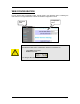
This page shows the system log of the R
outer. You can Enable/Di
sable the logging.
Station
MAC Address of a
active CardBus.
MAC Address
of your Router.
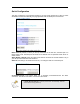
The Station page shows the status and
MAC Addresses of the WLAN network.
Page
10
1
...
...
11
12
13
14
15
...
...
40