
Specifications






RIGOL
Quick Guide for DG2000
11
To Use the Mod/ Sweep/Burst Function
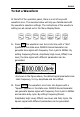
As shown in the figure below, there are three keys on the front
panel, which are used for Mod, Sweep and Burst settings. The
instructions below will help you familiarize with the setting of these
functions.
1. Press Mod, a modulated waveforms will be generated.
DG2000 Series can generate AM, FM, PM, PWM and FSK
modulate waveforms. Parameters are set by using the menu
softkeys. The modulated waveform can be changed by changing
the parameters such as Type, Internal/External Modulation,
Depth, Frequency, Waveform, etc.
2. Press Sweep, Sine, Square, Ramp or Arbitrary waveform can be
swept (Pulse, Noise and DC cannot be swept).
In the Sweep Mode, DG2000 Series generate signal with
variable frequencies.