
Installation guide
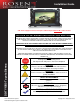

Installation Guide Toyota Sienna
Rosen Entertainment Systems Copyright 2011 All Rights Reserved
Installation Guide DP-TY10B4 Rev A
Page 4
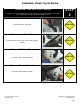
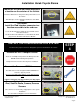
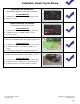
Remove OEM Radio Mounting Bolts
Carefully remove radio mounting bolts.
4 x 10mm bolts.
Radio and dash/vent trim will come out as a single piece.
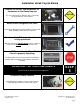
Remove Dash/Vent Trim from OEM Radio
Carefully remove 4 x Phillips screws to release
dash/vent trim from OEM radio.
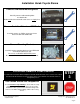
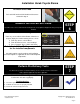
Remove Mounting Brackets
Carefully remove mounting brackets from OEM radio
and relocate onto Rosen unit.
Be sure to use ROSEN SUPPLIED screws.
Be sure to re-install dash/vent trim onto Rosen unit.
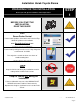
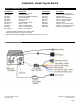
LOCATING REMOTE COMPONENTS
You will need to mount the GPS and Optional Satellite Radio Antennas on the exterior of the vehicle.
And mount the iPod Interface Connector in the vehicle. The following steps will help guide you
through this process.
STEP
3
Use Caution around SRS Components
It is the installer’s responsibility to ensure that the safety
equipment in the vehicle is NOT adversely affected by
installation of this system. Ensure that the routing of the
harnesses do NOT obstruct airbags, SRS or other safety
devices.