
User Guide
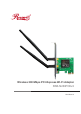


Wireless 300 Mbps PCI-Express Wi-Fi Adapter
User ManaulRNX-N250PCEv2
1
Table of Contents …………....................…………...…….…......................... 01
Package Contents …………....................…………...…….…........................ 02
SECTION 1: Product Overview …....................………..…….…................... 03
1.1 Introduction …………………………………….…................................. 03
1.2 Features ……….........…..................................................................... 03
1.3 LED Status ……………………………………...................................... 03
SECTION 2: Installation ……………...……................................................... 04
2.1 Hardware Installaton ……………………..................…....................... 04
2.2 Software Installation ……………........................................................ 05
SECTION 3: Connect to a Wireless Network …………............................... 07
3.1 To Connect Using WPS …………........................................................ 07
3.2 To Connect Using Windows Built-In Wireless Utility ............................. 07
3.2.1 In Windows XP …………........................................................... 07
3.2.2 In Windows 7 ……………………………………....….................. 08
3.2.3 In Windows 8.1 ……………………......……............................... 09
3.2.4 In Windows 10 …………............................................................ 11
SECTION 4: Utility Configuration …………………....................................... 12
4.1 General …………………..................................................................... 12
4.2 Profile ………………………................................................................ 13
4.2.1 Add …………………………....................................................... 13
4.2.2 Remove …………………………………..................................... 15
4.2.3 Edit ………………………………………..................................... 15
4.2.4 Duplicate ………………………………………............................ 16
4.2.5 Set Default ……………………………………….......................... 16
4.3 Available Network …………………..................................................... 17
4.4 Wi-Fi Protected Setup …………………................................................... 18
4.4.1 Method 1: PIN Input Config (PIN) ………………….................... 18
4.4.2 Method 2: Push Button Config (PBC) ………………….............. 19
Appendix A: Specifications …………………................................................ 21
Appendix B: Glossary …………………......................................................... 22
FAQ …………………....................................................................................... 24
Table of Contents
Industry Canada Statement
Safety Information
Complies with the Canadian ICES-003 Class B specifications.
Cet appareil numérique de la classe B est conforme à la norme NMB-003 du Canada.
This device complies with RSS 210 of Industry Canada. This Class B device meets all the
requirements of the Canadian interference-causing equipment regulations.
Cet appareil numérique de la Classe B respecte toutes les exigences du Règlement sur le matériel
brouilleur du Canada.
This product can be used in the following countries:
• When product has power button, the power button is one of the ways to shut off the product; when
there is no power button, the only way to completely shut off power is to disconnect the product or
the power adapter from the power source.
• Do not disassemble the product nor make repairs yourself. You run the risk of electric shock and
voiding the limited warranty. If you need service, please contact us.
• Avoid water and wet locations.
AT BG BY CA CZ DE DK EE
ES FI FR GB GR HU IE IT
LT LV MT NL NO PL PT RO
RU SE SK TR UA US