
User guide




Aries Reference Manual Section 2 – Viewing and Analysing Data
Radio Systems Information Ltd. Page 7
2 Viewing and Analysing Data
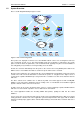
Aries produces maps, graphs, tables and automatic warnings with all parameters being configurable. An
intuitive user-interface makes the system easy-to-use without losing the power of advanced analysis
features. Analysis is carried out on live data as it is received from the probes, e.g. showing the last 12
hours, or on historical data, e.g. showing last month performance compared to this month. Thresholds may
be set for any parameter that trigger an alarm if exceeded and send an SMS to the service engineer.
2.1 User Access Levels
There are various types of user with different levels of access to the system; These are:
User: view and analyse data, view data for Probes, Base Sites and Areas
Admin: as User but also able to configure and create Probes, Base Sites and Areas
Super Admin: As Admin but also able to configure and create users and admins
System Administrator: Full access, able to configure and create TETRA networks
Users, Admins and Super Admins only have access to a single TETRA network. The system administrator
has access to all TETRA networks.
2.2 Logging In
Use any browser to access the Aries server – for example the main RSI server is at www.rsi-aries.com.
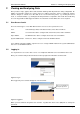
Enter your username and password in the box in the top-right of the window as shown below:
Figure 3: Log In
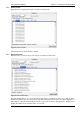
Once logged in your username will appear on the black bar.
Figure 4: Logged In
When you have finished using Aries then click the ‘Log Out’ link. Click on the (Edit) link to change the
password:
Click on the Edit link to
change the password