
- OWNER'S OPERATING MANUAL CR-26HD CR-32HDi High-Definition, Liquid-Crystal Display (LCD) Panels


x Runco CR-26HD/CR-32HDi Owner’s Operating Manual
PRE
L
IMINAR
Y
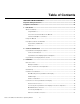
4. Operation .................................................................................................................23
Turning on the Power .................................................................................................23
Changing the OSD Language .....................................................................................23
Setting the PC Display Properties ...............................................................................24
Using the On-Screen Menus ......................................................................................25
Main Menu ...........................................................................................................27
Source .................................................................................................................27
Aspect Ratio ........................................................................................................27
Picture Adjust .......................................................................................................29
Audio ...................................................................................................................33
Channel ...............................................................................................................34
Timer ...................................................................................................................34
Setup....................................................................................................................35
ISF Calibration .....................................................................................................38
Using Picture-In-Picture (PIP) .....................................................................................41
Changing the PIP Position ....................................................................................42
Changing the PIP Size ..........................................................................................43
Changing the PIP Aspect Ratio .............................................................................43
Changing the PIP Image Mode .............................................................................43
Swapping the Main and PIP Images .....................................................................44
Swapping the Main and PIP Audio Programs........................................................44
Stereo Sound/SAP .....................................................................................................45
5. Maintenance and Troubleshooting ........................................................................47
Cleaning .....................................................................................................................47
Cleaning the Display Panel Body and Remote Control ..........................................47
Cleaning the Screen..............................................................................................47
Cleaning the Vents................................................................................................47
Troubleshooting Tips ..................................................................................................47
6. Serial Communications ..........................................................................................49
RS-232 Connection and Port Configuration ...............................................................49
Serial Command Syntax .............................................................................................49
7. Specifications ..........................................................................................................53
Crystal Series LCD Display Specifications ...................................................................53
Crystal Series LCD Display Dimensions ......................................................................54
Computer/Video Signal Compatibility .........................................................................56