
User's Manual

Chapter 3 Connecting Cables
RFD01F Series Installation Manual v1.0 53
©Samsung Proprietary and Confidential
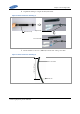
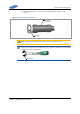
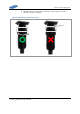
Check the dimension in the below picture. The conductor can not be seen from the
end of insulator.
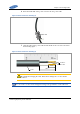
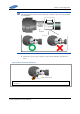
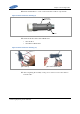
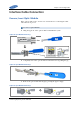
8 Fix the two screws of pin 1 and pin 2, respectively with the torque driver (+,
No.1).
Figure 42. Power Connector Assembly (7)
Torque Driver (+, NO.1)
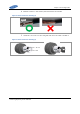
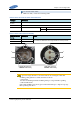
※ After the screws are tightened, check if the cable is securely installed by evenly pulling the cable with a 22.45 lbf
(10 kg force).
14±1.5 mm
Insulator