
User's Manual

Chapter 3 Connecting Cables
RFD01F Series Installation Manual v1.0 55
©Samsung Proprietary and Confidential
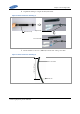
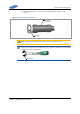
10 Fix the back shell not to rotate, rotate nut and fix it with a torque wrench.
Figure 44. Power Connector Assembly (9)
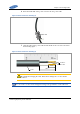
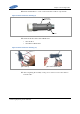
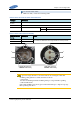
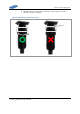
11 Check electrical isolation with a Multi tester.
o Pin 1 & Pin 2
o Pin 1/Pin 2 & Back shell
Figure 45. Power Connector Assembly (10)
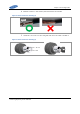
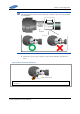
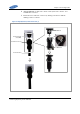
12 After completing the assembly of the power connector, remove the cable tie
from the cable.
[Pin 1 & Pin 2]
[Pin 1 / Pin 2 & Back Shell]
Back Shell
(Fixed State)
Nut