
User's Manual

Chapter 3 Connecting Cables
RFD01F Series Installation Manual v1.0 57
©Samsung Proprietary and Confidential
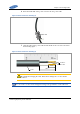
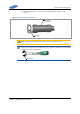
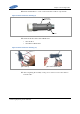
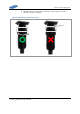
2 Align the marks of cable side connector and system side connector, and
assemble the connectors.
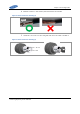
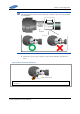
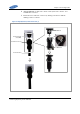
3 Fasten the nut of cable side connector by turning it clock wise until the
clicking sound is not heard.
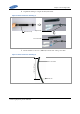
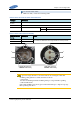
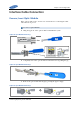
Figure 46. Hybrid(Power) Cable Connection (1)
Power Input Port
(DC_PWR)
DC Power Connector
DC Power Cable
White Dot
White Dot