
User's Manual

Chapter 3 Connecting Cables
RFD01F Series Installation Manual v1.0 71
©Samsung Proprietary and Confidential
RET Cable Connection
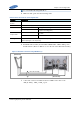
To connect the RET cable
1 Make sure operator has the following items:
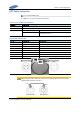
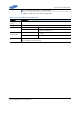
Table 23. Parts for RET Cable Connection
Category
Description
Installation Section
RRU RET port~RF Antenna
Cable
RET Cable Assembly
Connector
RRU
AISG 2.0
RF Antenna
Check the RF antenna (RETu) RET connector
specification per site
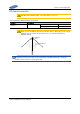
Table 24. RET Cable Pin Map
Pin No
Description
Cable Color
1
N/C (Not Connected)
-
2
N/C (Not Connected)
-
3
RS485 B
White
4
GND
Blue
5
RS485 A
Brown
6
+24 V DC
Red
7
DC Return
Black
8
N/C (Not Connected)
-
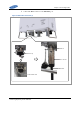
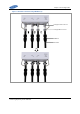
Before fitting the RET connector, make sure to align the female connector’s hole
with the male connector’s pin first.
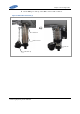
[Male Connector]
[Female Connector]
Hole
Pin
[Male: RRU Side]
[Female: Antenna
Side]