
Instruction manual


GB-12
Turning the power on and off
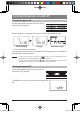
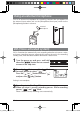
Turning the power on
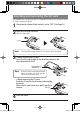
Set the Power/Hold switch on the side of the
unit to the "ON" position.
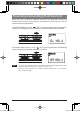
When the power is turned on, the screen initializes in the following order.
Version display Starting Operation screen
* The screens above are examples.
The operation screen that was last displayed when the power was turned off, will
be displayed. (Resume function)
Note - If you turn the power on with the " " folder selected, "CREATE" may be
displayed on start-up depending on the number of files.
- If no SD card is inserted in this unit, "
" is displayed when the power is turned
on and this unit cannot be operated. Be sure to insert an SD card.
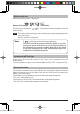
Turning the power off
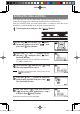
Set the Power/Hold switch on the side of this
unit to the "OFF" position.
The following screen is displayed and the power turns
off.
gap]vkjcb]cl,glbb/0 .6,//,0618018/4N
K