
Instruction manual


GB-14
Preventing mishandling (Hold function)
When this unit is placed in a pocket and used, this function can prevent
unintentional battery consumption and operation of the device due to
inadvertent pushing of buttons.
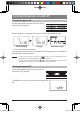
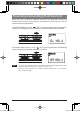
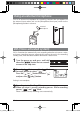
Set the Power/Hold switch to
(OFF) in the figure below during playback or
recording. The following screen is displayed and button operation is disabled.
If the Power/Hold switch is set to (ON) in the figure below, the following
screen is displayed and button operation is enabled.
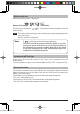
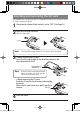
Note - For the Scene select (microphone sensitivity) switch and the Microphone/Line input
switch, the hold function does not operate even if it is set.
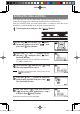
- When recording or playback is complete and the hold function is on, the power
turns off automatically.
gap]vkjcb]cl,glbb/2 .6,//,0618018/4N
K