
Instruction manual


GB-19
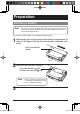
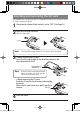
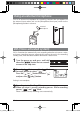
Using an external microphone
To use an external microphone for recording, connect the microphone to
the external input socket and set the [Microphone/Line input] switch to the
[Microphone] position in advance.
External
microphone
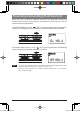
VAS (Voice activated system)
VAS is a function that automatically starts recording when the unit senses a voice,
and causes recording to pause automatically putting the unit in the recording
standby state, when the voice becomes lower than a certain level.
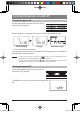
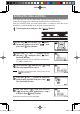
1
Turn the power on and press and hold
down the [
] button for two seconds
or more in the stop state.
2
Press the [ (fast-reverse)] or [ (fast-
forward)] button to select "
".
Press the [
] or [ ] button to select " "
and press the [
(play)] button.
Setting is now complete.
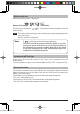
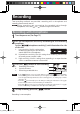
3
Recording starts. (See Page 18)
When no voice is sensed, recording pauses. While recording
pauses, "
" and " " blink.
When a voice is sensed, recording starts automatically.
gap]vkjcb]cl,glbb/7 .6,//,0618018/6N
K