
Instruction manual


GB-24
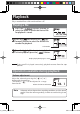
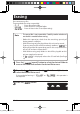
Repeat playback
One file can be played repeatedly or all files in a folder can be played repeatedly.
Press and hold down the [
(repeat)] button for two seconds or more
during stop or playback to toggle between repeat modes.
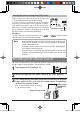
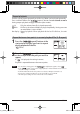
Repeat between two points in current playback file (A-B repeat)
1
Press the [ (repeat)] button at the
start point of the part you want to repeat
during playback of the file.
" "blinks.
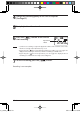
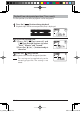
2
Press the [ (repeat)] button again
at the end point of the part you want to
repeat.
If " " is displayed, the setting is correct.
Playback is repeated between the two set points.
Note - To cancel the setting, press the [ (repeat)] button again to clear " ".
- If the [
] button is pressed to stop playback, or if fast forward or fast reverse is
used, the setting is cancelled.
- If the interval between the two points is too short, A-B repeat cannot be set.
- If point A is set but point B is not set, the end of file is set as point B.
- An A-B repeat setting over two or more files is not available.
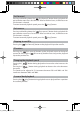
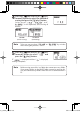
Lit :Only the selected one file is played repeatedly.
Blink :All files in the selected folder are played repeatedly. Setting over two
or more folders is not available.
No display :Normal playback. When playback of the last file finishes, the unit
stops.
gap]vkjcb]cl,glbb02 .6,//,06180180.N
K