
Instruction manual


GB-27
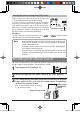
- The erased file is not recoverable. Carefully confirm whether or
not the file is needed before erasing.
- Before this operation, check that the remaining quantity of
battery power is sufficient.
- With file erasing, only files playable on this unit can be erased.
If you try to erase a file with the read only attribute, "
" is
displayed and the file cannot be erased. In this case, connect this
unit to a PC and erase it from the PC.
- With folder erasing, only folders in which files playable on this
unit are stored can be erased.
- If "
" is displayed, release the SD card lock.(See Page
18)
Note
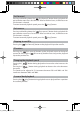
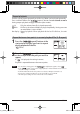
1
Press the [ (repeat)] button to select the desired folder to
erase or the folder that contains the desired file to erase.
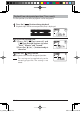
3
Press the [ ] button.
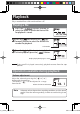
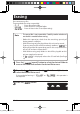
Erasing
Erase unnecessary files.
Three methods of erasing are provided.
-
: Erases one selected file.
-
: Erases all files in a selected folder.
-
: Erases all data in the SD card (formatting).
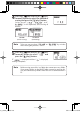
2
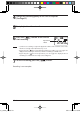
Press the [ (fast-reverse)] or [ (fast-forward)] button to
select the desired file to erase.
If the method of erasing is " " or " ," this operation is
not required.
gap]vkjcb]cl,glbb05 .6,//,061801800N
K