
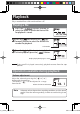
Instruction manual


GB-28
4
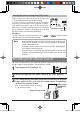
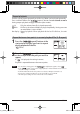
Press the [ (fast-reverse)] or [ (fast-
forward)] button to select the method of
erasing and press the [
(play)] button.
Select one of " ", " ", and "
". In this operation, select erasing of
one file.
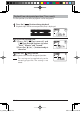
5
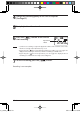
Press the [ (fast-reverse)] or [ (fast-
forward)] button to select "
" and
press the [
(play)] button.
If " " is displayed and then " " is displayed,
erasing is complete.
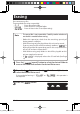
Folder erasing erases files in a folder but cannot erase any folder.
Since empty folders in the MUSIC folder cannot be seen on this
unit, erase unnecessary folders when this unit is connected with a
PC.
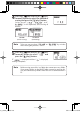
Note
Take care not to select or by mistake
when erasing only one file.
Note
FOLDER
(Folder erasing)
ALL ERASE
(Formatting)
gap]vkjcb]cl,glbb06 .6,//,061801801N
K