
User manual


517
7.17 LDAP Server
The LDAP server of the NAS allows the administrator to create users to access multiple NAS servers
with the same user name and password. Follow the instructions below to configure the LDAP server.
E na ble LDA P Se rv e r
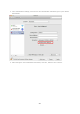
Login the NAS as “admin”. Go to “Applications” > “LDAP Server” and enable LDAP server. Enter the full
LDAP domain name and the password for the LDAP server, then click “Apply”.