
Technical data


4 Table of Contents WAGO-I/O-SYSTEM 750
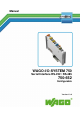
750-652 Serial Interface RS-232 / RS-485
Manual
Version 1.3.0
5.1.5 RS-422 Operating Mode..................................................................... 37
5.1.6 DMX Operating Mode ....................................................................... 38
5.2 Data Exchange Operating Mode ............................................................. 38
6 Mounting ..................................................................................................... 40
6.1 Mounting Sequence ................................................................................. 40
6.2 Inserting and Removing Devices ............................................................ 41
6.2.1 Inserting the I/O Module .................................................................... 41
6.2.2 Removing the I/O Module .................................................................. 42
7 Connect Devices ......................................................................................... 43
7.1 Connecting a Conductor to the CAGE CLAMP
®
................................... 43
7.2 Connection Examples .............................................................................. 44
7.2.1 RS-232 Operating Mode..................................................................... 44
7.2.2 RS-485 Operating Mode..................................................................... 45
7.2.3 RS-422 Operating Mode..................................................................... 47
7.2.4 DMX Operating Mode ....................................................................... 47
7.2.5 Data Exchange Mode ......................................................................... 48
8 Commissioning ........................................................................................... 49
8.1 Configuration and Parameterization with WAGO-I/O-CHECK ............. 49
8.1.1 RS-232 / RS-485 Serial Interface (Configuration Dialog) ................. 49
8.1.2 Toolbar on the Configuration Dialog ................................................. 50
8.1.3 Process Image Size ............................................................................. 51
8.1.4 Parameter Range ................................................................................. 52
8.1.5 Setting the RS-232 / RS-485 Serial Interface ..................................... 53
8.2 Configuration and Parameterization via GSD for PROFIBUS DP and
PROFINET IO ........................................................................................ 54
8.3 Data Transfer ........................................................................................... 54
8.3.1 Example of Operating Modes for Serial Transmission ...................... 54
8.3.2 Initialization ........................................................................................ 55
8.3.3 Transmission of the Character String "Hello World!" ....................... 56
8.3.4 Receiving the Character String "WAGO" .......................................... 57
8.3.5 Operation with Continuous Send........................................................ 57
8.3.5.1 Transmission of a Block of One to 512 Bytes ............................... 57
8.3.5.2 Transmission of a Block of More than 512 Bytes ......................... 58
8.3.6 DMX Application Example ................................................................ 60
8.3.6.1 Operation with Deactivated Continuous Send ............................... 60
8.3.6.2 Operation with Activated Continuous Send .................................. 60
8.3.7 Data Exchange Operating Mode Application Example ..................... 61
9 Diagnostics .................................................................................................. 62
9.1 Serial Operating Modes ........................................................................... 62
9.2 Data Exchange Operating Mode ............................................................. 62
10 Use in Hazardous Environments .............................................................. 63
10.1 Marking Configuration Examples ........................................................... 64
10.1.1 Marking for Europe According to ATEX and IEC-Ex ...................... 64
10.1.2 Marking for America According to NEC 500 .................................... 69
10.2 Installation Regulations ........................................................................... 70
10.2.1 Special Conditions for Safe Use (ATEX Certificate TÜV 07 ATEX
554086 X) ........................................................................................... 71