
Technical data




WAGO-I/O-SYSTEM 750 Commissioning 53
750-652 Serial Interface RS-232 / RS-485
Manual
Version 1.3.0
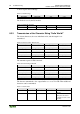
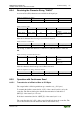
Table 24: Parameter Range
Selection box
Possible settings
Switchover Time RS-485
3)
100 µs
*
/ 2 Characters / 4 Characters
Continuous Receive Timeout
2 Characters
*
/ 4 Characters
*
Default setting
1)
The setting is relevant for the operating mode RS-232/RS-422, full-duplex.
2) The setting is relevant for the operating mode RS-232.
3)
The setting is relevant for the operating mode RS-485, half-duplex.
4)
Firmware version 03 or higher
Use of the CODESYS library "SerComm.lib"
Note that following settings for use of the I/O module with programmable
fieldbus controllers and use of the CODESYS library "SerComm.lib" can be
temporarily overwritten by the controller:
• Mode
• Baud rate
• Data bits, parity, number of stop bits
• Flow control
• Continuous send
The following values are not available if settings should be changed by the
CODESYS library "SerComm.lib":
• Mode: Data Exchange, DMX
• Baud rate: 600 baud
• Flow control: RTS with lead/follow-on time
8.1.5 Setting the RS-232 / RS-485 Serial Interface
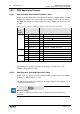
Open the configuration dialog for the serial interface module. To do so, execute
the command Settings in the context menu of the I/O module (node view or
navigation).
Important note:
Before changing the parameters you should save the current values in a
parameter file. This way, in case the parameters are wrong, you can always fall
back on the original values. Use the [Save] and [Open] buttons in the parameter
dialog.
The serial I/O module is configured and prepared for communication in the
configuration area.
In order to display the default values for this I/O module (except for the size of the
process image), press the [Default] button. The values indicated can then be
changed further.