
Instruction manual




162
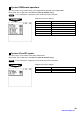
Initial down-loading (with clearing of memory)
You can assign a secret code to each preset data to be downloaded.
Secret code: max. 4 digits (0001 to 9999/0000) (Use the numeric entry)
NOTE
If “0” is entered, the “compulsory secret code entry” will be canceled.
Program each item as follows:
DEPT Department preset
DIRECT KEY Direct department/PLU preset
PLU PLU/Link preset
LINK PLU Link PLU preset
PLU STOCK PLU stock quantity
CONDIMENT Condiment PLU preset
MIX&MATCH Mix & Match preset
RECIPE Recipe preset
INGREDIENT Ingredient preset
PLU MENU KEY PLU menu key preset
COMBO MEAL Combo meal preset
INGREDIENT STOCK Ingredient stock quantity
TRANSACTION Transaction preset
SERVER SIGN OFF All server sign off
MANAGER Manager preset
OPTION Other preset
DATE/TIME Date/time preset
DEF. MENU LEVEL Default menu level
LOGO Logo text preset
TAX Tax preset
ONLINE PRESET Online preset
INLINE PRESET Inline preset
KP PRESET Kitchen printer preset
DEVICE ASSIGN Device assignment preset
ALL PGM All PGM preset
Maintenance down-loading (without clearing of memory)
You can assign a secret code to each preset data to be downloaded.
Secret code: max. 4 digits (0001 to 9999/0000) (Use the numeric entry)
NOTE
If “0” is entered, the “compulsory secret code entry” will be canceled.
Program each item as follows:
DEPT Department preset
DEPT PRICE Department price preset
PLU PLU preset
PLU PRICE PLU price preset
LINK PLU Link PLU preset
PLU STOCK PLU stock preset
CONDIMENT Condiment PLU preset
MIX&MATCH Mix & Match preset
RECIPE Recipe preset
INGREDIENT Ingredient preset
COMBO MEAL Combo meal preset
INGREDIENT STOCK Ingredient stock preset
TRANSACTION Transaction preset
The screen continues.
The screen continues.
www.cashregisters.net