
Technical data
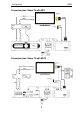
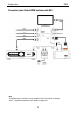
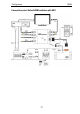

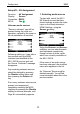

Configuration M203
6
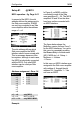
Setup #1 – RS232 Modus
Function: RS232 interface
Display: Serial Port Mode
Connection: RS232
M219: Yes ;
The function of the serial
interface (Serial Port) can be
configured for the following
applications:
• RS-232 Link
• RS-232 Filtered
• Gefen HDMI Switcher 4x2, 4x1
• Gefen HDMI Switcher 6x2
• Sharp ATV*
• Sharp DTV*
* All Sharp televisions from 26 inch of
screen size and serial interface
ATV: Using the integrated analog
TV tuner
DTV: Using the integrated digital TV
tuners (DVB-T or DVB-C)
Please take note of the important
information on page 8 relating to
a complete reset of the M203.
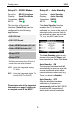
Setup #1 – Auto Standby
Function: Auto Standby
Display: Auto Standby
Connection: RS232
M219: Yes ;
The Auto Standby function
enables the TV to remain
switched on, even in the case of
selected audio sources that do
not activate a video input at the
TV, e.g. the M51 radio tuner.
The Auto Standby option is only
shown in the menu if Sharp has
been selected as Serial Port Mode.
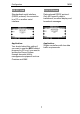
Auto Standby: ON
The television switches itself off
automatically as soon as an audio
source is selected, which either
cannot activate a video input, e.g.
Tuner, or which is disabled
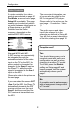
Auto Standby: OFF
After the television has been
switched on, it remains on
permanently until the M51/ M219
is switched off, irrespective of
which audio source is selected.