
Technical data

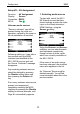

Configuration M203
8
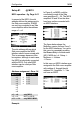
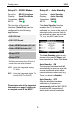
Video Controller.
If a video controller for a video
product was selected on page #1
Port Mode, a second menu page,
Setup # 2 is available. This page
enables you to selectively switch
on and/or between video inputs on
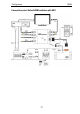
a Sharp device or an HDMI
Switcher from the Gefen
company, dependant on the
selected M51/ M219 source.
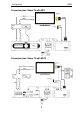
Example M200 with M51:
A SAT receiver can conveniently
be integrated through the
automatic selection of the video
input on the TV by the M51. Its
picture output is connected, for
example, to the Scart-1 input on
the Sharp TV, while the audio
signal is connected to the Aux-1
input on the M51.
Please also refer to the picture on
the next page.
If you now select the source SAT
(Aux-1) at the M51, the Sharp TV
automatically transmits the SAT
receiver picture over the input
Scart-1 and the sound from the
SAT receiver is transmitted over
the M51.
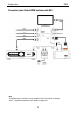
The convenient integration can
of course also be used for the
M51’s integrated DVD player.
Please refer to the picture on the
next page – Connection : Video
1).
The audio source and video
input links referred to in the
example are defined in Setup #2.
You will find an exact description
of the links, starting from page 16.
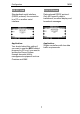
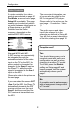
Complete reset?
Yes
You should always carry out a
complete reset with each new
configuration as well as when
changing to another TV model.
To do this, press the Disable
softkey on Setup page #2 and
keep it pressed, until the system
automatically returns you to
page 1.
No
A complete reset is not necessary
with an assignment change within
a TV model.