
Technical data
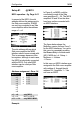
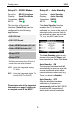
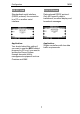


Configuration M203
14
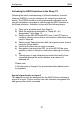
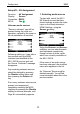
Setup #2 – AV Assignment
Function: AV Assignment
Display: Source
Connection: RS232
M219: Yes ;
Unknown audio sources
"Sources unknown" can still be
present during the initial con-
figuration, caused by the swap or
the de-installation of modules.
Following switch-on, it can take a
few seconds until the M203
interface has identified all the
M51 / M219 sources and until
the Source ”Unknown" message
disappears.
Any remaining unknown sources
should be deleted by pressing
the Disable softkey twice and
then pressing the Delete soft-
key.
If too many unknown sources are
present, we recommend
completely resetting the M203
interface by pressing the Disable
softkey for several seconds, until
Page #1 automatically appears
.
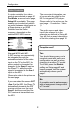
1. Selecting audio source
To start with, select the M51 /
M219 audio source that later
should activate a particular video
input on the Sharp television/
HDMI Switcher, using the
Source ± softkey.
Using the Source+ and Source-
softkeys, you can step forwards
and backwards respectively,
through a loop of audio inputs,
which are currently available on
the M51 / M219.
If the name of an audio source
has been changed, the modified
name also appears in the list.
An “Unknown” Source must be
deleted manually. You will find
more information about this in the
previous section.