
Technical data



Configuration M203
17
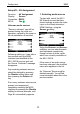
Setup #2 – Disable
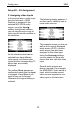
Disable assignment
Using the Disable function, you
can undo or disable the
assignment of an audio source to
a video input.
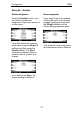
To do this, select the required
audio input using the Source ±
softkeys and then press the
Disable softkey. The Store
softkey then appears that you
need to press to confirm your
change.
If you don’t press Store, the
original setting is retained.
Reset assignment
If you want to return the settings
in Setup #2 menu to the factory
settings, simply press and hold
the Disable softkey until the
Setup- #1 page appears again.
This resets all input assignments
and restores the factory settings.