
Technical data

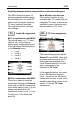


Introduction M203
M203 Sharp
With the Re:connect M203, Revox
offers an interface, for the
intelligent control of many of the
Sharp video products.
The correct picture input is
automatically selected at the
television with the help of the
interface. Additionally, the next or
previous TV programme can be
selected for the television, through
the M218 wall-mounted keypad.
Multiroom Planer V2.00
The new Multiroom Planner
doesn't just calculate the correct
address assignment for the
M219 Side room amplifiers and
M217 Wall-mounted displays, it
also calculates the slot
addresses for the M200 series
Re:control products in the side
room. Take advantage of the
possibility to be able to
determine in advance, all M203,
M217 and M219 addresses
simply and quickly and at the
same time save the information
as system documentation. You
will find more information about
addressing the M203 in the side
room, on Page 6 of this manual.
You can download the new
Multiroom Planner V2.00 free-of-
charge from the download area
of the Revox Homepage, under
www.revox.com.
New features from software V2.00
From software version 2.00, the
M203 can be connected not only
to an M51 but also to the M219
Side room amplifier.
As a result, a Sharp television
can also be controlled from an
side room, using the M219 Side
room amplifier. The option of
connecting an M203 interface to
an M219 exists with the first four
Side room amplifiers for each
zone. As a result, a total of 16
Side room amplifiers can be
connected with an M203 inter-
face in a Revox Multiroom
system with 4 different zones.
In the same way as with the
setup of an M51, you define
which video input at the Sharp
televisions activated by which
M219 audio source, through the
M203 Setup. The local inputs
Local 1 – 3 at the M219 can be
used for the control, as well as
the audio sources of the
Multiroom Central unit.
Important advice:
If you want to use the
software version 2.00, the
complete Revox system
must be updated to the level
2.00, or higher.