
Technical data

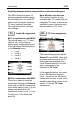
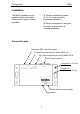


Configuration M203
3
Connection:
M203 with seriell interface
Socket: RS232
Setup: # 4 – from page 8
M219: Yes ;
Using the serial RS232 inter-
face, The M203 interface can be
used with other (TV) devices,
which also have a serial
interface.
Many of the Sharp video
products have a serial interface
and are therefore very easy to
integrate into the Revox World.
The M203 Interface is also
suitable as an interface to
domestic facility management
systems such as AMX or
Crestron, which have a special
Revox protocol.
Even a Windows PC with the
M230 control program can be
connected to the serial interface
on the M203.
You will find further information
from Page 8.
Serial cables with a maximum
length of 10 metres can be used.
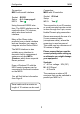
Connection:
M203 with IR controller
Socket: IR-Link
Setup: -
M219: Yes ;
The connection to an IR receiver
or a wall-mounted remote control
is done through the 3-pin, screw-
fixable Phoenix plug connection.
Revox recommends the use of a
2-core screened cable
(microphone cable), where the
screening is used as ground.
This cable may be a maximum of
30 metres in length.
Please ensure that you use the
correct polarity when setting up
as otherwise you might damage
your equipment.
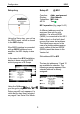
Symbols:
+ Æ Pos. voltage. 20V (DC)
IN Æ IR Signal
- Æ Ground
The maximum number of IR
receivers that can be switched in
parallel per M203 is 3.