
Installation Instructions
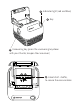
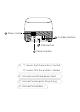
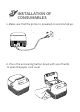
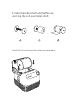
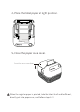
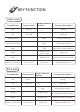
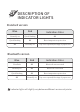

KEY FUNCTION
4
Label mode
Bill mode
Ready
Printing suspended
Ready
Ready
Machine is turned off
Nil
Nil
Being printed
Preconditions
-
-
-
-
Then, turn to I
Turn to I
Turn to O
-
Power switch
Click
Click
Keep pressing
for2 seconds
Double-click
Firstly hold
-
-
Click
Paper advance
button
One piece of paper advanced
Printing proceeded
Paper test
Printing self-inspection page
Switch label/bill mode
Startup
Shutdown
Printing suspended
Function description
Machine is turned off
Nil
Ready
Ready
Ready
Nil
Preconditions
Turn to O
-
-
Then, turn to I
-
Turn to I
Power switch
-
Click
Keep pressing
Double-click
Firstly hold
-
Paper advance
button
Startup
Shutdown
10 mm paper advance
Continuous paper advance,
stop immediately upon release.
Printing self-inspection page
Function description
Switch label/bill mode