
User's Manual

3.3 The usage of touch screen
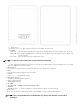
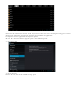
4.3inch touch screen The machine was allocated for the machine,Description for main touch screen,some
introduction about how to use t he touch screen has included.
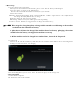
You can touch at the left corner t o return the previous menu, to the main menu
In different application program,by touching return key the top of right corner,you can ret urn the forme r
operation.
【
Note
】:
software menu are equal to the menu of the machine
In different browser(file、music、media、picture browser,etc),you can drag the roll to make the file list can be draged
smoothly.
3. 4.basic settings
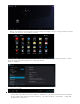
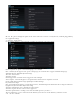
Setting :Click the settimg icon on the menu to setting;
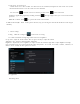
3.5 sound and realistic Settings ring, inform and screen brightness
Set up voice: adjust the media volu me. Also can press a nd key to adjust the volume
Animation: open and close window display animations
Brightness: adjustment screen brightness, in stripes around the northeast high click to adjust brightness Set tings
Screen standby: in the screen off automatically adjust delay before. 15 seconds, 30 seconds, 1 minute, 2 minutes, 10
minutes, never standby six time options can choose.
3.6 application
File Management