
User's Manual
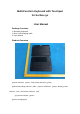

④Magnetic power on/off location(2 locations)
Pairing Steps
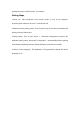
1.Power on : Place keyboard cover bottom attract to one of the magnetic
locations,power indicator turns on 5 seconds,then off.
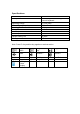
2.Keyboard enters pairing mode:Press Fn and C keys at the same time,bluetooth
pairing indicator flashes blue.
3.Finish pairing:Turn on your device’s bluetooth setting,device searches the
keyboard pairing name”Bluetooth 3.0 Keyboard” automatically,click the pairing
name,bluetooth pairing indicator finishes flashing.Connected successfully.
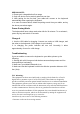
4.Choose correct language:This keyboard is US layout,please change the device
language to US.