
User's Guide




Wireless Repeater KN300 User Guide
11
3 Set up a repeater using a PC
3.1 First Repeater settings
Step 1 Plug the repeater into the power outlet and wait for the WiFi indicator to blink and the
repeater is started.
Step 2 Use a PC to search for and connect to the wireless network of the repeater:
KN300_XXXXXX.
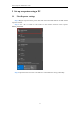
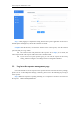
Step 3 Open the browser and enter "192.168.19.1" in the address bar to log in manually.