
User's Guide




Wireless Repeater KN300 User Guide
13
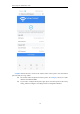
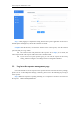
Tips If the name of the router to be Extended is not in the list, please click [Refresh].
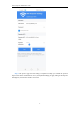
Step 6 If the wireless WiFi to be extended is encrypted, please enter its wireless password.
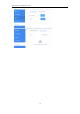
You can check [Set Repeater WiFi] to modify the wireless name of the repeater and set the
password of the repeater. If not checked, the name and password of the repeater will be the same
as the main WiFi, and then click [Apply].
⚫ Uncheck [Set Repeater WiFi] and click [Apply], the name and password of the repeater
will be the same as the main WiFi.
⚫ Check [Set Repeater WiFi] to configure the WiFi name and password of the repeater.