
User's Guide




Wireless Repeater KN300 User Guide
14
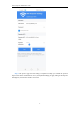
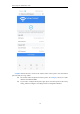
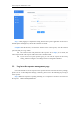
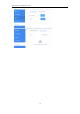
Step 7 Click [Apply] to complete the setting. Wait for the repeater application to take effect.
If the Repeater LED light on, it means the extend is successful.
Complete Exit the browser, reconnect the wireless name of the repeater, enter the wireless
password, and you can go online.
⚫ The wireless name and password of the repeater: set in Step 6, if not check, the
name and password of the repeater will be the same as the main WiFi.
⚫ If you need to set up the repeater again, you can reset the repeater to the factory
setting, and then configure it according to the first configuration method.
3.2 Log in to the repeater management page
If it is the first time to use the repeater or the repeater has been restored to its factory settings,
please refer to "3.1 First Repeater Settings"; otherwise, please refer to the following steps to log in
to the repeater.
Step 1 When the repeater is operating normally, use a computer to search for and connect to
the repeater’s WiFi: KN300_XXXXXX。