
User guide
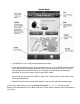
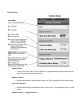
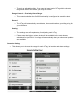
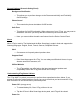

PackageIncludes:
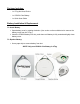
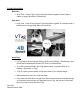
・ 1xVTagAntiLossDevice
・ 1xCR2032CoinBattery
・ 1xQuickUserGuide
BatteryInstallation&Replacement
ToInstallBattery
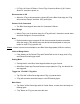
1. Openbatterycoverbyrotatingclockwise.(Useacoinorothersuitabletooltoremovethe
batterycoverfromtheVTag.)
2. InserttheCR2032batteryintoslot,pushdownuntilbatteryisfullyseatedandtightlyclose
batterycover.
ToReplaceBattery
1. Useapapercliptoremovebatteryfromslot.
NOTE:OnlyuseCR2032CoinBatteryinVTag.