
Owner's Manual
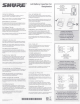




Table Of Contents
- PSM300 User Guide
- PSM300 Stereo Personal Monitor System Online User Guide
- Table of Contents
- PSM300Stereo Personal Monitor System
- Important Product Information
- PSM®300
- PSM®300
- Hardware
- System Applications
- System Setup and Configuration
- Operation
- Troubleshooting
- Specifications
- RF Carrier Range
- Compatible Frequencies
- Tuning Bandwidth
- Operating Range
- Audio Frequency Response
- Signal-To-Noise Ratio
- Total Harmonic Distortion
- Companding
- Spurious Rejection
- Latency
- Frequency Stability
- MPX Pilot Tone
- Modulation
- Operating Temperature
- RF Output Power
- RF Output Impedance
- Net Weight
- Dimensions
- Power Requirement
- Audio Input
- Connector Type
- Polarity
- Configuration
- Impedance
- Nominal Input Level
- Maximum Input Level
- Pin Assignments
- Phantom Power Protection
- Audio Output
- Connector Type
- Configuration
- Impedance
- Active RF Sensitivity
- Image Rejection
- Adjacent Channel Rejection
- Intermodulation Attenuation
- Blocking
- Audio Output Power
- Minimum Load Impedance
- Headphone Output
- Output Impedance
- Net Weight
- Dimensions
- Battery Life
- Frequency Range and Transmitter Output Power
- Optional Accessories and Replacement Parts
- Certifications
- PSM®300 Personal Monitor Wireless System Frequency Supplement
- PSM300 Personal Monitor System Product Info
- P3RA User Guide
- P3RA Professional Bodypack Receiver Safety Information
- SE215 Manual
- Rack Mount Hardware Kit Instruction Sheet
- AA Battery Insertion for Bodybacks
- A Quick Guide to Personal Monitor Systems
- Warranty
- Safety Precautions

STEREO MIX-MODE
Signal from
Audio Source
2/R1/L
2/R1/L
Transmitter
Receiver
Signal from
Audio Source
Mixed
1/L + 2/R
2/R
1/L
Transmitter
Receiver
A QUICK GUIDE TO PERSONAL MONITOR SYSTEMS
6
Personal Control
The most empowering aspect of in-ear monitoring is having
direct control over what you hear. You’ll still rely on the
monitor engineer for fine adjustments, but you can adjust
the overall volume and choose different mixes yourself.
To adjust the volume, simply turn the knob on the
bodypack. If you use a stereo mix, you’ll hear the same
mix in both ears, but you can pan left and right in case
you want to hear more or less in either ear. If you use a
system with MixMode
®
, you’ll hear a summed mix in both
ears. From there, you can use the bodypack controls to
adjust the balance of the sound sources. For example, you
might prefer to have vocals and guitar in the left ear, and
drums and bass in the right.
When band members control their own mixes, the monitor
engineer can concentrate on creating the best possible
audience mix.
Route audio signals
from the stage to a mixer
or PA System
Create an instrument mix
and a vocal mix,
then route each to an input
channel on the transmitter
Monitor one or both mixes
through earphones connected
to a bodypack receiver
Adjust the volume and
MixMode
®
knobs
to create a personal mix
1 2 3 4
A CUSTOM MIX IN FOUR SIMPLE STEPS
A QUICK GUIDE TO PERSONAL MONITOR SYSTEMS
7