
- C384FA-M OPERATING MANUAL

Colour monitor C384FA-M
14 - English A26361-K826-Z100-2-5E19
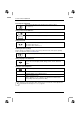
Performing auto-adjustment
Carry out auto-adjustment of the monitor for the current resolution
(Auto Adjustment)
Setting position for the OSD menu
Moving OSD menu horizontally (OSD H-Position)
Moving OSD menu vertically (OSD V-Position)
Setting text format
Select resolution for text display (Graph Text)
640 x 400 for Japan (Graph)
720 x 400 for other countries (Text)
Activating the factory settings
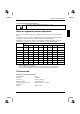
Factory settings are available for Image Lock, picture position and colours in the preset operating
modes (see table in the chapter "Technical data".
Resetting all settings to the factory settings (Recall)
Setting language for the OSD menu
Setting language for the OSD menu (Language)
You can choose from English (default setting), German, French, Italian and
Spanish.
Setting the colour temperature
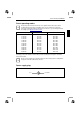
Setting colour temperature and colour ratio (Color Temperature)
9300
Selecting bluish colour setting
6500
Selecting yellowish colour setting (like paper)
User
Setting user-defined colours
With the submenus Red, Green and Blue you can increase or decrease the
corresponding colour ratios (Red, Green, Blue).
i
When the colour temperature 9300 or 6500 has been selected, the contrast adjustment is
deactivated. The message Can not change appears.