
User guide


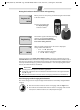


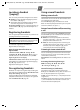

Table Of Contents
- Gigaset A680
- Safety precautions
- Care
- ECO WDCT
- First steps
- Making calls
- Using the directory and lists
- Locating a handset ("paging")
- Registering handsets
- De-registering handsets
- Using several handsets
- Setting the alarm clock
- Phone settings
- Operating the base station on the PABX
- Appendix
- Menu tree

8
A680 (A380-L2) / PHL-TWN eng / A31008-M2005-Z401-1-7619 / main.fm / 14.05.2010
Setting the shortcut key
h ¢ MENU ¢ Scroll to u Shortcut ¢ Scroll u to
select a number (0,2-9), for example: Shortcut: 2 ¢ OK
Using shortcut keys
To dial, press and hold the required shortcut key.
Sending the directory to another handset
Preconditions:
◆ The sending and receiving handsets must both be
registered to the same base station.
◆ The other handset and the base station can send
and receive directory entries.
h ¢ u (select entry) ¢ MENU ¢ Send Entry /
Send List ¢ OK ¢ ~ (enter the internal number of
the receiving handset) ¢ OK
Last number redial list
This list contains the ten last dialled numbers.
Dialling from the last number redial list
c (press briefly) ¢ u (select entry) ¢ c
Managing entries in the last number redial list
c (press briefly) ¢ u (select entry) ¢ MENU
You can select the following settings:
Calls list/network mailbox list
An advisory tone sounds and the message key
flashes as soon as a new entry appears in the calls
list/answer machine list. A message appears in the
display.
When you press the f key, all the lists are displayed.
If only one list contains new messages, this will be
opened automatically.
Calls list
Precondition: CLIP (¢ page 7)
The call list contains all incoming calls.
The calls list is displayed as follows:
Number of new entries + number of old, read entries
Open the calls list
f ¢ CallsList 01+02 ¢ OK
The last incoming call is displayed.
If necessary, use u to select another entry.
Using other functions
u (select entry) ¢ MENU
The following functions can be selected with u:
Calling back a caller from the calls list
f ¢ CallsList 01+02 ¢ OK ¢ u (select entry)
¢ c
Assigning key 1 for fast access to the
network mailbox
Simply press and hold key 1 on the handset and you
will be connected directly to the network mailbox.
See Menu tree ¢ page 13.
Use Number
Edit or add to the number.
Then
dial or use other functions
with
MENU.
Copy to Dir.
Copy an entry to the directory.
Delete Entry
Delete selected entry.
Delete List
Delete all entries.
Please note:
If calls are saved in the network mailbox, you will
receive a message if the appropriate settings have
been made (depending on your network provider).
Delete Entry
Delete current entry.
Copy to Dir.
Copy an entry to the directory.
Date/Time
Call date and time (if set).
Status
New Call: new missed call.
Old Call: entry already read.
Answ.: call taken.
Delete List
Warning! All old and new entries
will be deleted.
CallsList 01+02