
Operating instructions



Commissioning
9.3 Commissioning part-turn actuators
SIPART PS2 with and without HART communications
Operating Instructions, 09/2008, A5E00074631-08
129
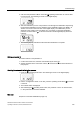
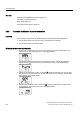
5. Start the initialization process. To do this, press the increment button for at least 5
seconds until the digital display shows the following:
Note
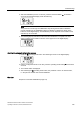
The positioner runs through five initialization steps during the automatic initialization
process. Displays for the initialization steps from "RUN1" to "RUN5" are shown in the
lower line on the digital display. The initialization process depends on the actuator used,
and takes up to 15 minutes.
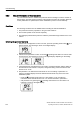
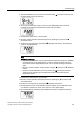
6. The following display indicates that the automatic initialization is complete. The total
angle of rotation of the actuator is shown on the upper line on the digital display:
Aborting the automatic initialization process
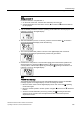
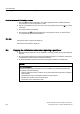
1. Press the operating mode button. The following is shown on the digital display:
2. Exit the Configuration mode. To do this, press the operating mode button
for at least 5
seconds.
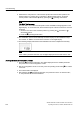
3. The software status is displayed.
4. After releasing the
operating mode button, the positioner is in the "P manual mode",
i.e. the part-turn actuator has not been initialized.
See also
Sequence of automatic initialization (Page 114)