
Operating instructions



Commissioning
9.3 Commissioning part-turn actuators
SIPART PS2 with and without HART communications
130 Operating Instructions, 09/2008, A5E00074631-08
9.3.3 Manual initialization of part-turn actuators
You can use this function to initialize the positioner without needing to move the actuator to
the end stops. The start and end positions of the actuator travel are set manually. When the
control parameters are optimized, the further initialization process runs automatically.
Conditions
The following conditions must be fulfilled before activating the manual initialization:
1. The positioner has been prepared for using on linear actuators.
2. The actuator can be moved completely.
3. The displayed potentiometer position is within the permissible range between "P5.0" and
"P95.0".
NOTICE
Setting of the adjustment angle
The usual adjustment angle for part-turn actuators is 90°. Accordingly set the
transmission ratio selector in the positioner to 90°.
Initializing the positioner manually
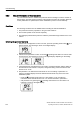
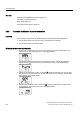
1. Switch to the "Configuration" mode. To do this, press the operating mode button for at
least 5 seconds. The following is shown on the digital display:
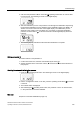
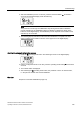
2. Set the "YFCT" parameter to "turn". Press the
decrement button for this purpose. The
following is shown on the digital display:
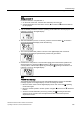
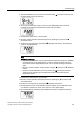
3. Call the second parameter "YAGL". Press the
operating mode button for a short while
for this purpose. The following is shown on the digital display:
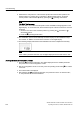
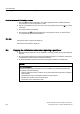
4. Call the "INITM" parameter. Press the
operating mode button twice for this purpose.
The following is shown on the digital display: