
Operating instructions



Commissioning
9.3 Commissioning part-turn actuators
SIPART PS2 with and without HART communications
Operating Instructions, 09/2008, A5E00074631-08
131
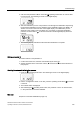
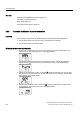
5. Start the initialization process. Press the increment button for at least 5 seconds until
the digital display shows the following:
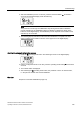
6. The current potentiometer position is shown on the digital display after 5 seconds.
Examples of the displayed potentiometer positions are given below:
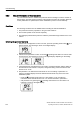
7. Determine the end position 1 of the actuator.
8. Move the actuator spindle to the desired position by pressing the increment or
decrement buttons.
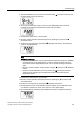
9. Accept the current position by pressing the
operating mode button. The following is
shown on the digital display:
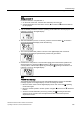
Note
RANGE fault message
• The selected end position is beyond the permissible measuring range if the "RANGE"
message appears on the digital display. Correct the settings as follows: Move the
friction clutch until the digital display shows "OK". Press the operating mode button
again.
• Move the actuator spindle to another position using the
increment or decrement
buttons.
• Abort the manual initialization process by pressing the
operating mode button.
Switch to the "P manual mode" and adjust the actuator travel and the position
displacement sensor.
10. Determine the end position 2 of the actuator.
11. Move the actuator spindle to the desired position by pressing the
increment or
decrement buttons.
12. Accept the current position by pressing the
operating mode button.
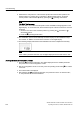
13. The initialization process is automatically resumed. Displays for the initialization steps
from "RUN1" to "RUN5" are shown in the lower line on the digital display.
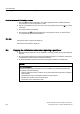
14. The following display indicates that the initialization has been completed successfully: